내가 원하는 애니메이션을 게임에 쉽게(?) 적용하고 싶다면
정교한 액션게임을 만들고 싶다.
공격을 하는 애니메이션만은 커스텀해서 사용해보자.
아래에 깃허브에서 모션 캡쳐를 참고했다.
https://github.com/SAKTHIVINASH2/3D-Motion-Capture-From-Video
GitHub - SAKTHIVINASH2/3D-Motion-Capture-From-Video: 3D motion capture is a technology that allows you to capture human movement
3D motion capture is a technology that allows you to capture human movements and translate them into digital data. This data can then be used to animate 3D models, creating realistic and interactiv...
github.com
파이썬에서 포즈를 따는 라이브러리를 사용해서 머리, 어깨, 팔, 다리 등등 좌표값들을 얻는다.
좌표값을 이용해서 유니티에서 보여주는 형식이다.
애니메이션 포즈를 휴머노이드 모델에 적용한다.
전체적인 흐름
외부 포즈 데이터(33 keypoints) →
Unity 좌표계로 변환 →
포인트 오브젝트(P0~P32) →
본의 바인드 방향 대비 회전 추정 →
루트 방향(yaw+약간의 tilt) 추정 & 스무딩 적용
파일에서 읽어온 값을 정규화 + 축 보정
float px = float.Parse(toks[i * 3 + 0]) / scaleXY;
float py = float.Parse(toks[i * 3 + 1]) / scaleXY;
float pz = float.Parse(toks[i * 3 + 2]) / scaleZ;- XY / Z 스케일이 다른 이유:
- 영상 기반 포즈는 depth(Z)가 훨씬 노이즈 큼
- invertZ:
- MediaPipe(Z forward) ↔ Unity(Z forward) 좌표계 차이 보정
바인드 회전 저장
T-Pose 상태의 기준 회전
바인드 방향 자동 추정
핵심개념은 이 본은 원래 어느 방향을 보고 있었는가? 이다.
UpperArm → LowerArm 방향 = 본의 기준 forward 벡터
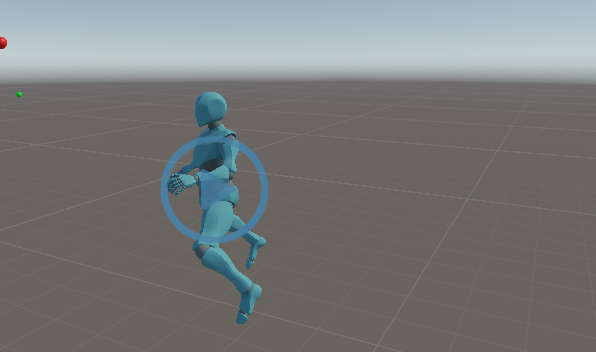
이제 블렌더에서 모션을 다듬으면 되겠다.